Used iPhone prices in Pakistan depend on more than the model and storage. PTA status, battery health and whether parts were replaced can change what a phone is worth by a large amount. This list follows Apple's own advice for buying a preowned iPhone, plus the Pakistan-specific checks that Apple does not cover. Do them in this order, at the shop or with the seller in front of you.
Before you meet the seller
1. Ask for the IMEI and model number
Ask the seller to send the IMEI and the model number from Settings > General > About. Check the IMEI in DIRBS before you travel. If the seller will not share it, that tells you something.
2. Know the model you are being sold
Apple's support site lists model numbers by region. For example, Apple lists different numbers for the iPhone 17 Pro sold in the United States, in some Gulf countries, in China mainland and elsewhere. If the model number on the phone does not match the model the seller claims, ask why.
Pakistan checks
3. PTA status in DIRBS
Dial *#06# on the phone. iPhones with a physical SIM and an eSIM show more than one number. Check each one:
- by SMS of the 15-digit IMEI to 8484, or
- with the check box on dirbs.pta.gov.pk.
If the result does not show the phone as registered, it is not PTA approved, whatever the seller says. It will need FBR duty paid to work with a Pakistani SIM. Our guide on checking PTA status by IMEI explains the results, and PTA tax on mobile phones explains how to find the tax.
4. Match the IMEI everywhere
The IMEI on screen should match Settings > General > About and the box. A mismatch can mean a replaced board, a different box, or a changed IMEI. FBR's procedure says phones with stolen, duplicate or invalid IMEIs are permanently blacklisted in DIRBS, so walk away from anything that does not add up.
5. Carrier lock, the "JV" check
In Settings > General > About, find Carrier Lock. Apple says "No SIM restrictions" means the iPhone is unlocked. If it shows anything else, the phone is locked to a carrier. Locked iPhones that are made to work in Pakistan with add-on chips are what sellers call "JV". See PTA approved vs non-PTA and JV phones for why we advise against them.
Apple's checks
6. Activation Lock
Turn the phone on. If you see "iPhone Locked to Owner", Activation Lock is on. Apple's advice is clear: do not buy an iPhone with Activation Lock enabled. Ask the seller to sign out of their Apple Account and erase the phone while you watch. If you bought online and it arrives locked, return it.
7. Lock screen or Hello screen
- If the phone shows a lock screen with a passcode, Face ID or Touch ID, ask the seller to erase it so you can test it.
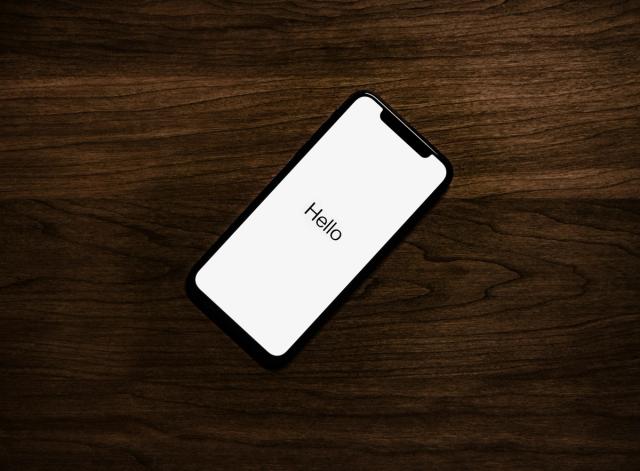
- If it shows the Hello screen, it has been erased, and you will set it up and activate it yourself.
8. Parts and Service History
On iOS 15.2 or later, go to Settings > General > About and look for Parts and Service History. It only appears if parts have been replaced, depending on the model.
- Genuine Apple Part means the part was replaced with a genuine Apple part.
- Unknown means the installation is incomplete, or the part is not genuine, was used before, or is not working as expected.
An "Unknown" screen, battery or camera is a reason to pay less or walk away.
9. Battery health
Go to Settings > Battery > Battery Health & Charging (on older iOS, Battery Health). Check:
- the maximum capacity
- any important battery message
- whether performance management has been applied
Apple notes that battery health is not shown for unknown or non-genuine batteries. If you see no battery health at all, assume the battery has been replaced with a non-genuine one.
10. Physical damage
Look at the screen, sides and back under good light for scratches, dents and cracks. Check the charging port. If the phone will not turn on or charge, Apple says not to buy it.
11. Function tests
Once you reach the Home screen:
- WiFi: connect to a network, then forget it if you do not buy the phone.
- Buttons: volume up and down, the silent switch or Action button, and the side button.
- Cameras: take photos in bright and low light, try each rear camera, and record a short video.
- Speakers: play a ringtone from Sounds settings.
- Microphone: record and play back a short voice memo.
- Screen: move the brightness slider and look for dead spots, lines or tint.
- Calls: put in your SIM, make a call and send an SMS. A non-PTA phone may work for a while before DIRBS blocks it, so this does not replace step 3.
Before you pay
12. Agree the price on the facts
Write down what you found: PTA status, battery capacity, any "Unknown" parts, carrier lock, and damage. Compare the asking price with listings for the same model in the same condition and PTA status. Seller words like "10/10 condition" or "box pack" do not replace any of the checks above.
Ask for a written receipt with the IMEI, the price and the seller's CNIC or shop name. If the seller is a shop, ask what warranty they give and for how long.
Quick checklist
| # | Check | Pass |
|---|---|---|
| 1 | IMEI and model number shared before meeting | Yes |
| 2 | Model number matches the claimed model | Yes |
| 3 | DIRBS shows registered | Yes, or tax added to price |
| 4 | IMEI matches on screen, settings and box | Yes |
| 5 | Carrier Lock says "No SIM restrictions" | Yes |
| 6 | Activation Lock off | Yes |
| 7 | Phone erased or ready to set up | Yes |
| 8 | No "Unknown" parts | Yes, or lower price |
| 9 | Battery health shown and acceptable | Yes, or lower price |
| 10 | No serious damage, charges normally | Yes |
| 11 | Cameras, buttons, speakers, mic, screen, calls work | Yes |
| 12 | Receipt with IMEI | Yes |
Swipe the table sideways to see every column.
Looking at a newer model? See our guides to the iPhone 17 price in Pakistan and the iPhone 18 Pro and Pro Max.