Slow or patchy WiFi is a common complaint at home, especially in houses with thick concrete walls and more than one floor. Often the fix is a better router, a better place for the router, or a mesh system. This guide gives current WiFi router prices in Pakistan, explains the difference between WiFi 5, WiFi 6 and mesh, and helps you pick the right one.
WiFi router prices in Pakistan
| Router | Type | Price range |
|---|---|---|
| TP-Link Archer C6 | WiFi 5, AC1200, dual band | about Rs 6,399 to Rs 13,900 |
| TP-Link Archer C64 | WiFi 5, AC1200, dual band | about Rs 8,000 to Rs 13,000 |
| TP-Link Archer AX23 | WiFi 6, AX1800, dual band | about Rs 16,300 to Rs 19,499 |
| TP-Link Archer AX55 | WiFi 6, AX3000, dual band | about Rs 22,950 to Rs 27,500 |
| TP-Link Deco E4 (1 unit) | mesh, WiFi 5, AC1200 | about Rs 11,186 to Rs 13,999 |
| TP-Link Deco E4 (3 units) | mesh, WiFi 5, AC1200 | about Rs 24,490 to Rs 28,999 |
Swipe the table sideways to see every column.
Prices checked 13 October 2026 on a price comparison site and shop pages (see Sources). Some of the lowest prices may be for older stock, so confirm the hardware version and warranty.
We focused on TP-Link because it had the most models with current Pakistani prices we could check. Other brands such as Tenda, Xiaomi and Huawei also sell routers here, but we did not find reliable current prices for them.
What the specs mean
From TP-Link's Pakistan website:
- Archer C6: WiFi 5, up to 867 Mbps on 5GHz and 400 Mbps on 2.4GHz, four antennas, gigabit WAN and LAN ports, and OneMesh support.
- Archer AX23: WiFi 6, up to 1,201 Mbps on 5GHz and 574 Mbps on 2.4GHz, four antennas, gigabit ports, and EasyMesh support.
- Archer AX55: WiFi 6, up to 2,402 Mbps on 5GHz and 574 Mbps on 2.4GHz, gigabit ports, a USB 3.0 port, and both EasyMesh and OneMesh.
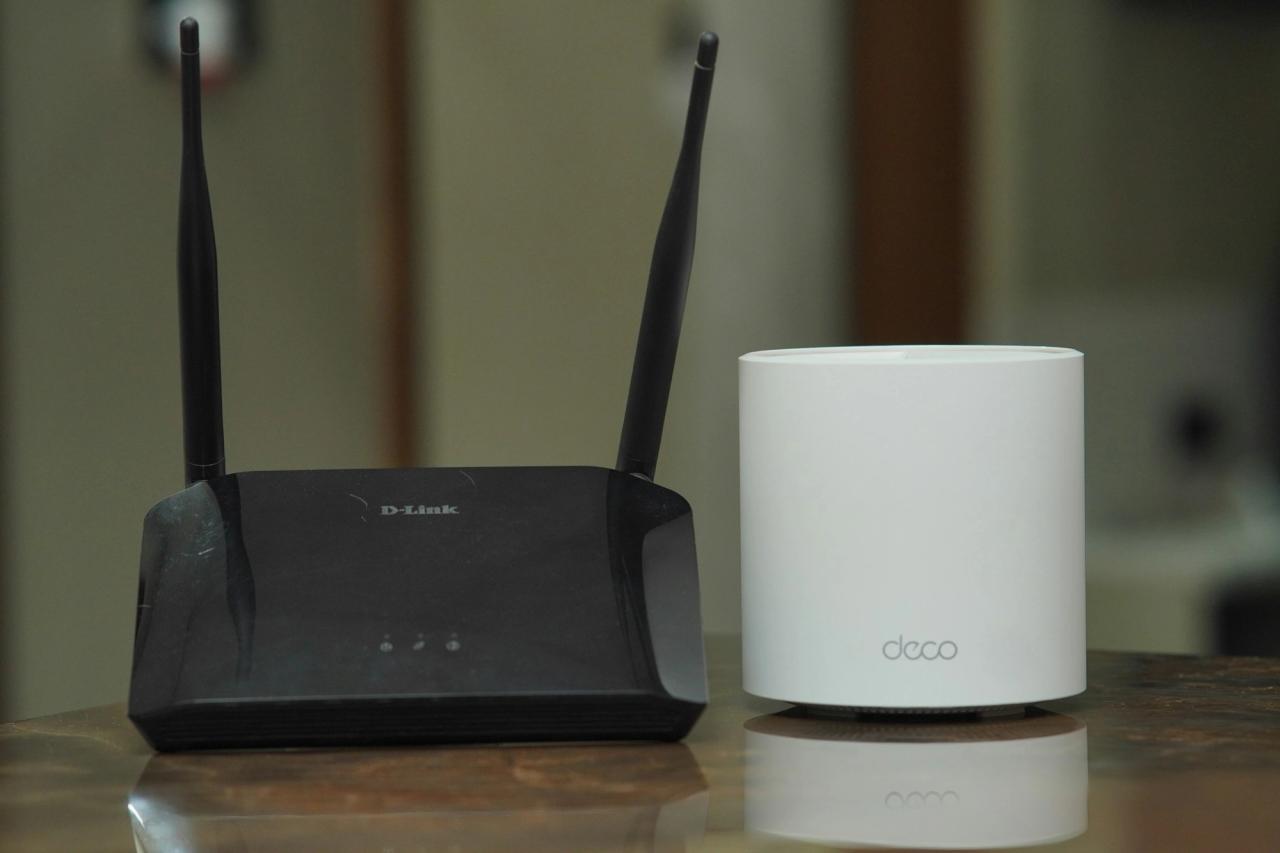
- Deco E4: WiFi 5, AC1200, two 10/100 Mbps Ethernet ports per unit, up to 100 devices, and up to 4,000 square feet of coverage for the 3-pack (EU version).
A note on the numbers: "AX1800" or "AC1200" adds the top speeds of both bands together. Your real speed depends on your internet package and distance from the router.
Watch the Ethernet ports on the Deco E4. They are 10/100 Mbps, so a wired device plugged into a Deco unit is limited to 100 Mbps. If your internet package is faster than that and you use wired connections, choose a mesh system with gigabit ports.
WiFi 5 or WiFi 6?
- WiFi 5 (Archer C6, C64): fine for a small home, a few phones and a TV, and internet packages up to around 100 Mbps.
- WiFi 6 (Archer AX23, AX55): better when many devices are connected at once, and with faster fibre packages. Your phone or laptop also needs WiFi 6 to get the full benefit, though older devices still work.
When is mesh worth it?
A single router sends WiFi out from one spot. Walls, floors and distance weaken it. A mesh system places two or three units around the house, all sharing one WiFi name, so your phone moves between them as you walk around.
Mesh is worth it if:
- your house has two or more floors
- you have thick concrete walls and dead spots in some rooms
- the router has to stay in a corner, such as near the main door where the internet cable comes in
A single router is usually enough if:
- you live in a flat or a small single-floor house
- you can place the router near the middle of the home
A 3-pack Deco E4 costs about the same as one Archer AX55. For a big house, three mesh units usually give better coverage than one stronger router.
Wired or WiFi for the TV and PC?
If your TV, desktop PC or game console sits near the router, a network cable is often better than WiFi. It is faster, steadier and not affected by walls. The Archer C6, AX23 and AX55 each have four gigabit LAN ports for this, according to TP-Link. For a device in another room, a mesh unit placed nearby can act as a wired connection point too, within the port speed limits noted above.
Try this before you buy
- Move the router to a central, high spot, away from the floor, metal cupboards and the kitchen.
- Restart it and check if your ISP's router has a newer firmware update.
- Use the 5GHz band for phones and laptops near the router, and 2.4GHz for far rooms.
- Test your speed next to the router. If it is slow there too, the problem may be your internet package, not the WiFi.
Buying tips
- Check the hardware version on the box. Older stock can be cheaper but may lack features.
- Ask about warranty, and whether it is a local warranty.
- Check your ISP's setup. Some connections need the ISP's own router or modem to stay in place, with your new router added behind it. Ask your ISP before buying.
- Compare prices. The Archer C6 ranged from about Rs 6,399 to Rs 13,900 on the same day.
Aalajaat, a marketplace where you post what you need and vendors send you offers, is coming soon.